Cafe and bakery
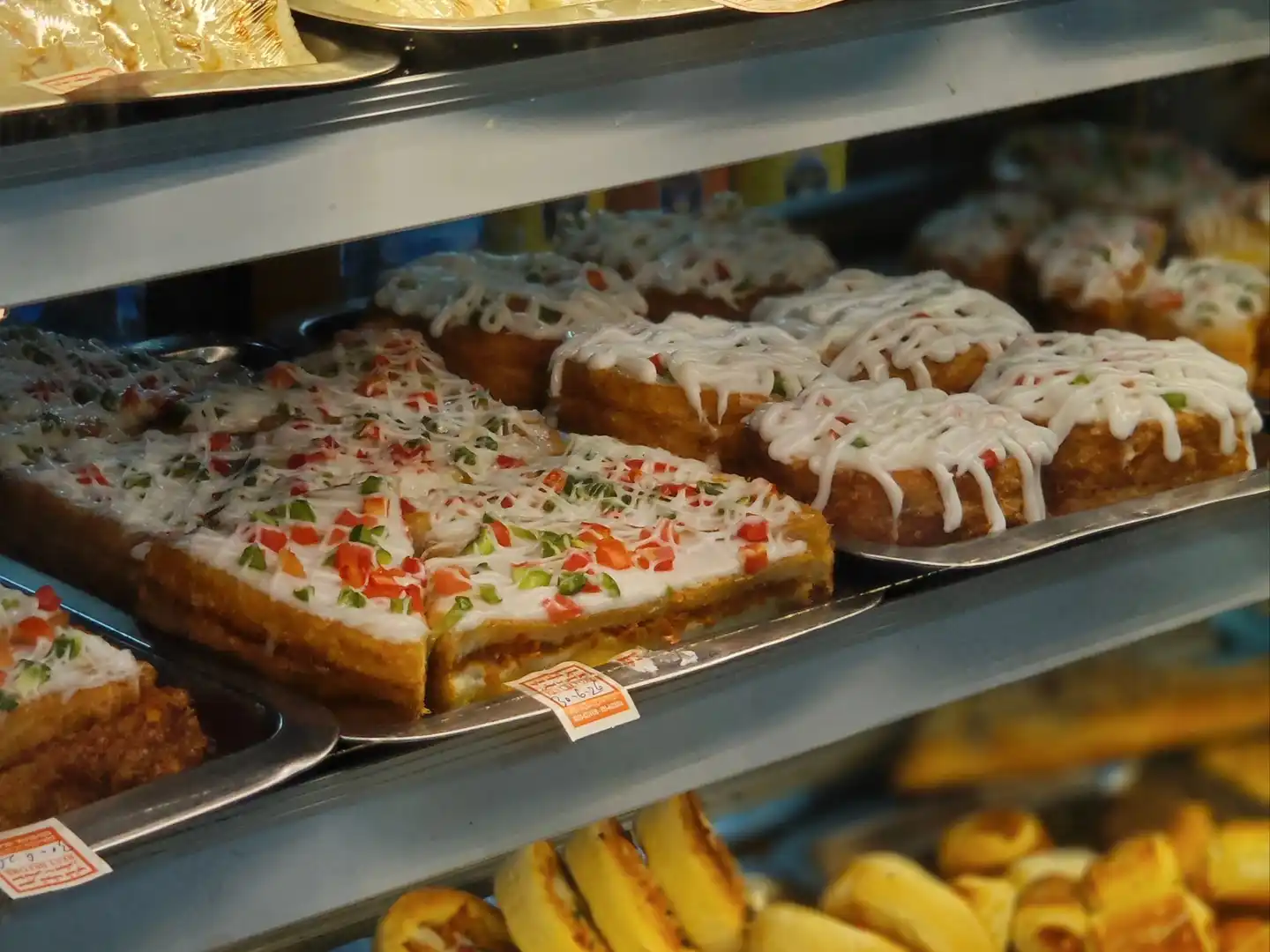
Quick counter orders, and every bake counted to the last piece.
The till opens on a grid of your menu items, so a counter order takes a few taps. Add-ons and meal deals are built in from launch, orders reach the kitchen at once, and an item marks itself sold out when the last one goes. Each sale takes its recipe’s flour, milk and sugar out of stock.
Ready for the morning rush
Count the bakes in before you open, take the chai-and-patty queue a tap at a time, and let the recipes keep the stock count.
Get early access for your cafe or bakery
Before you open
- Sold out at zeroEnter how many you baked. At zero the item marks itself sold out, and it is back on sale the next day.
The rush
- One tap per itemYour best sellers sit on the screen as buttons, with your own labels and colours.
- Add-ons and meal dealsExtra shot, no sugar, large size: choice groups with set limits and defaults, plus fixed-price deals.
- Straight to the kitchenEach order prints at the right station, the kitchen or the drinks counter, as soon as it is placed.
- QR ordering at the table Growth planGuests scan the table’s code, order and pay on their phone, and add another round without waiting.
After the rush
- Recipes and ingredients Starter planEach sale takes its recipe’s flour, milk and sugar out of stock.
- Cake orders for later Growth planTake an order today for pickup or delivery in a set time slot.
On for your cafe or bakery, on top of the core
Choosing your type of business switches these modules on, leaves some ready to switch on, and keeps the rest out of your way.
The core, for every business
- Sales and receipts
- Payments
- Stock
- Customers
- Staff and shifts
- Reports
- Offline selling
- Pakistani tax
On for your cafe or bakery
- Kitchen tickets and screensOrders print or appear in the kitchen, sorted by station.
- Modifiers and combosAdd-ons, choices and meal deals on items.
- Table QR order and payGuests scan a QR code at the table to order and pay.
- Recipes and ingredient stockEach sale uses up the ingredients in its recipe.
- Takeaway and deliveryTakeaway orders, delivery addresses and riders.
Ready to switch on
- Floor plan and tablesLay out your tables, see which are taken and move orders between them.
- Split bills, service charge and tipsSplit a bill between guests, add a service charge and take tips.
- Sell by weight and scalesSell loose items by weight, straight from the scale.
- Batches and expiry datesTrack batch numbers and sell the earliest expiry first.
- Barcodes and shelf labelsScan barcodes and print shelf and price labels.
- Returns and exchangesTake items back for a refund, store credit or an exchange.
- Layaway and special ordersHold items on part payment and take orders for later.
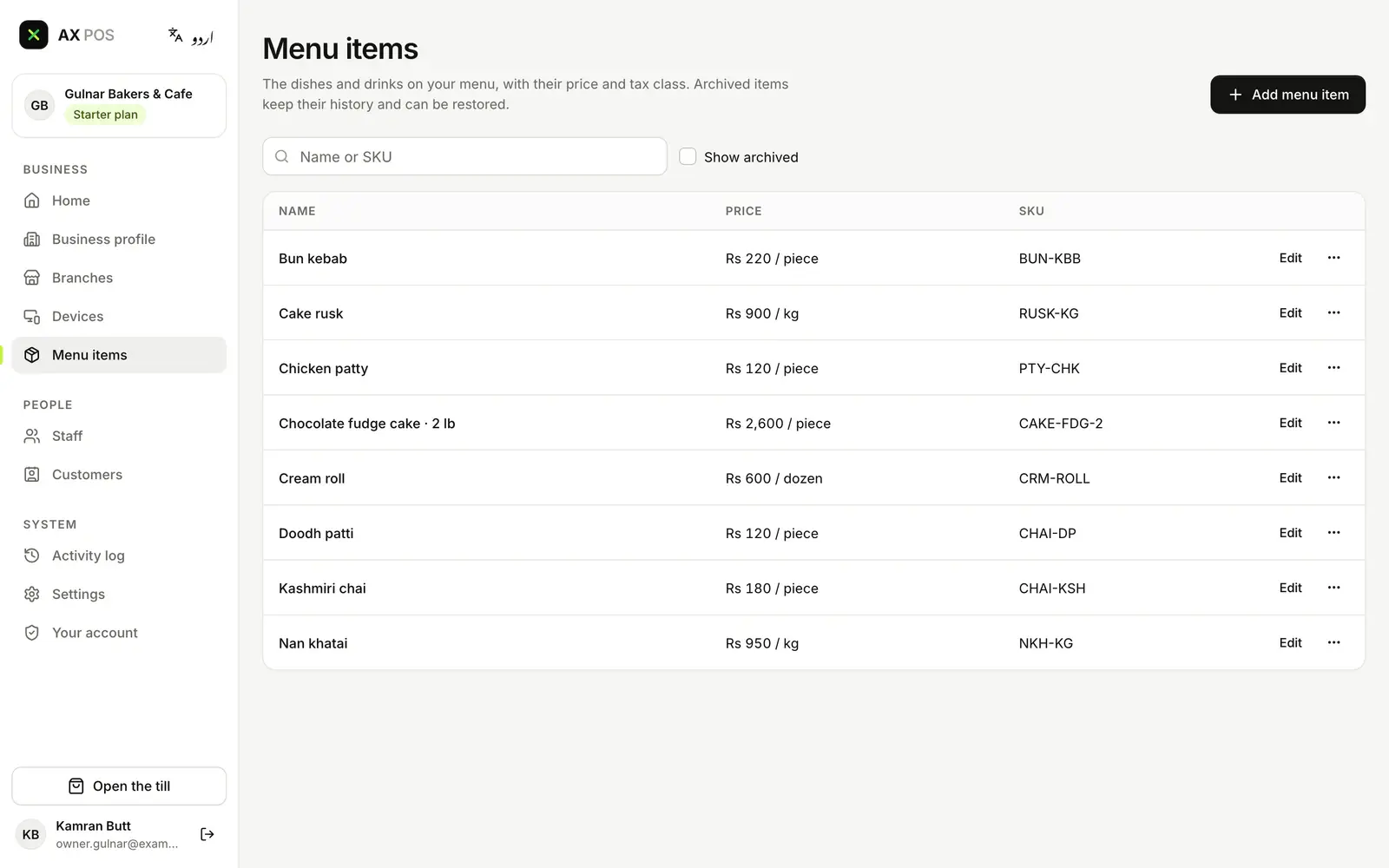
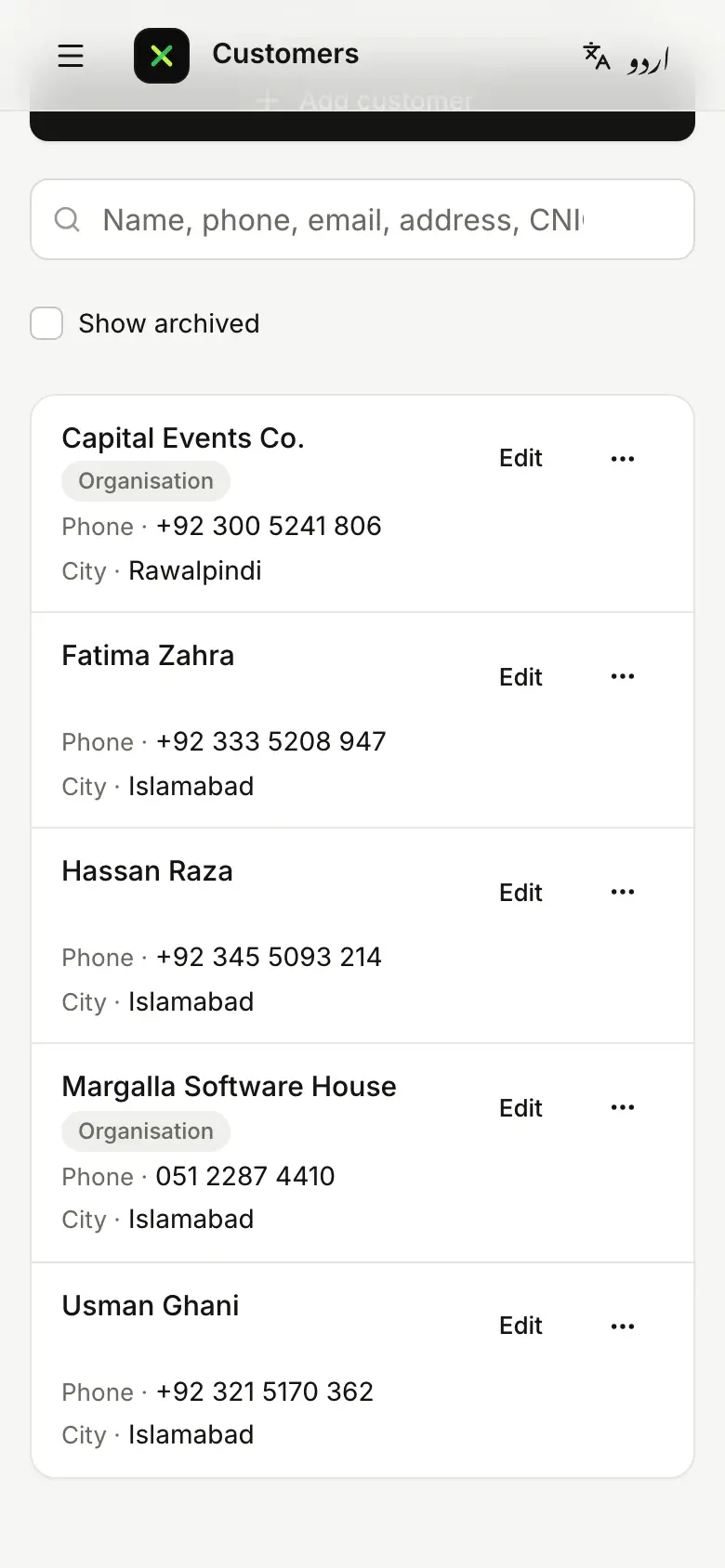
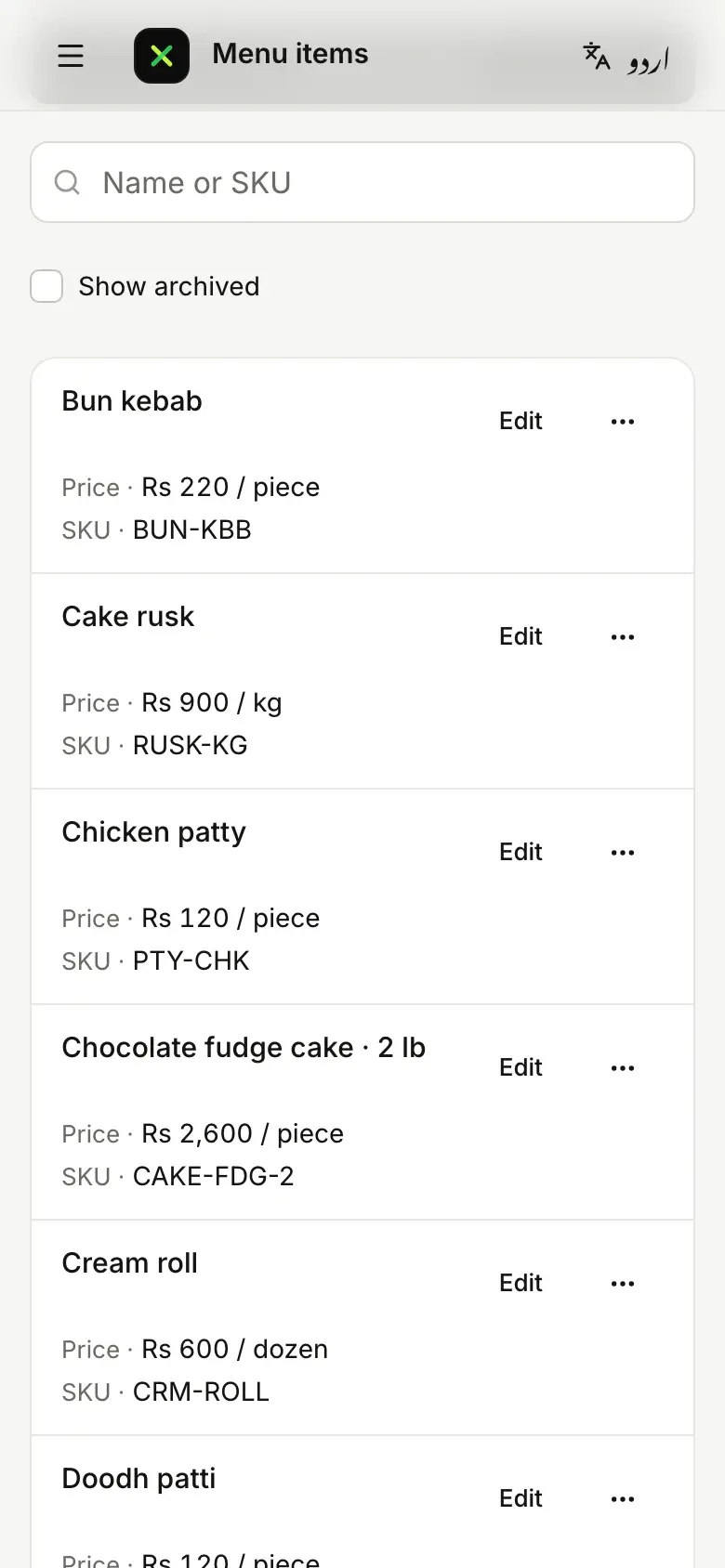
Your counter’s menu, in AX POS today
- Chai, patties and cakes, pricedEach menu item with its price and SKU: doodh patti, bun kebab, a 2 lb fudge cake.
- By the piece, the dozen or the kiloCream rolls by the dozen, cake rusk and nan khatai by the kilo: each item keeps its own unit.
- Regular orders on fileOffices with a tea account and caterers who order trays, with phone and city, on your phone too.
Real screens from today’s AX POS, with a demo bakery’s data. The sale screen comes in a later update.
Tax on every bill
Each invoice reaches FBR as it is issued, and card and QR payments are there from the first day. On every plan, including Free.
- FBRReal-time invoicesEach invoice has to reach FBR the moment it is issued, not at the end of the day.
- FBRWhat the receipt showsThe customer’s receipt has to show that FBR received the invoice.
- FBRCard and QR paymentsCustomers must be able to pay you by card and by QR.
- FBRWhen the internet is downInvoices made while you are offline still have to reach FBR once you are back.
Which plan unlocks what
Everything above starts on Free. These are the cafe or bakery items each plan adds.
Free
1 branch1 till- One tap per item
- Add-ons and meal deals
- Straight to the kitchen
- Sold out at zero
- Sell by weight, if you need it (switch on)
Starter
1 branch3 tills- Recipes and ingredients
- Pickup board
Growth
Up to 5 branchesUnlimited tills- QR ordering at the table
- Cake orders for later
Business
Unlimited branchesUnlimited tillsFor every business
- Head-office and franchise controls
- The full audit trail
Launch pricing coming soon
Questions about AX POS for your cafe or bakery
Can I sell mithai or biscuits by the kilo?
Yes. Selling by weight is an option for cafes and bakeries. Switch it on and connect a scale through the AX POS Connector, and the till works out the price from the weight.
We are adding seating. Can I use tables later?
Yes. Floor plan and tables, and split bills with a service charge, are options for cafes and bakeries. Switch them on when you need them.
Does it track ingredients?
Yes, from the Starter plan: each item’s recipe takes its ingredients out of stock as it sells. Recipe costing, which works out each item’s cost and margin, comes with the Business plan.
Other types of business
The same AX POS, set up for another kind of business.